Version 0.19.0 Jan 26, 2026
Welcome Emails
You can now automatically send a welcome email to new subscribers when they join your newsletter.
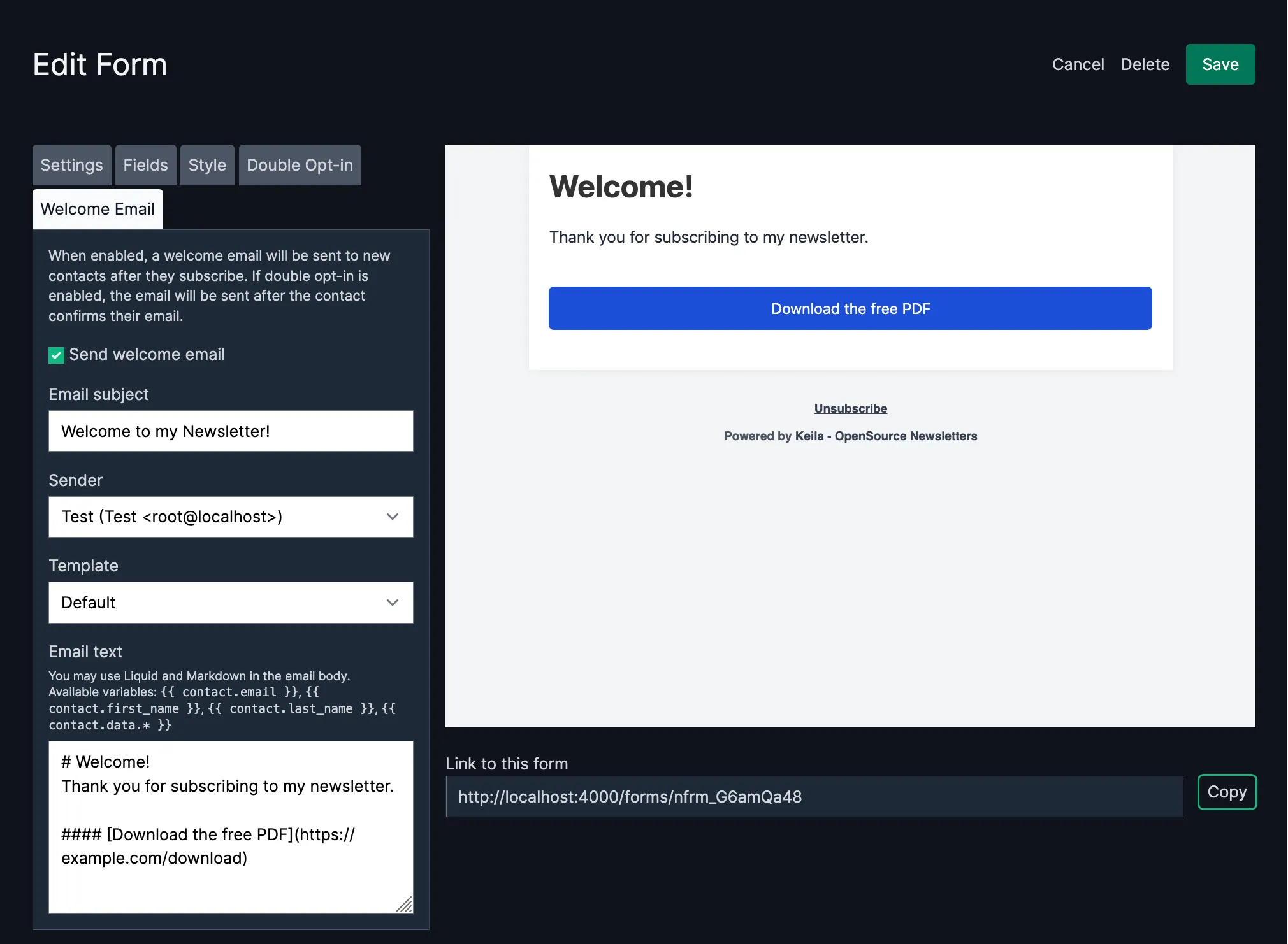
Welcome emails are a great way to greet new subscribers and set expectations for your newsletter. You can now configure a welcome email directly in the form editor.
How It Works
When you edit a signup form, you’ll find a new Welcome Email tab. Enable the option and configure your email subject, sender, and content. The welcome email is sent automatically when a contact completes their subscription:
- Without Double Opt-In: The email is sent immediately after the form is submitted.
- With Double Opt-In: The email is sent after the contact clicks the confirmation link.
Writing Your Welcome Email
The email body supports both Markdown and Liquid. You can personalize your welcome emails using these variables:
{{ contact.email }}– The subscriber’s email address{{ contact.first_name }}– The subscriber’s first name{{ contact.last_name }}– The subscriber’s last name{{ contact.data.* }}– Any custom fields from your signup form
Example: Welcome Email with a Download Link
A common use case for welcome emails is delivering a lead magnet, e.g. a free download or a discount code. Here’s an example that includes a download button:
# Welcome, {{ contact.first_name }}!

Thank you for subscribing to our newsletter. We're excited to have you on board.

#### [Download your free guide](https://example.com/guide.pdf)

You'll hear from us soon with our latest updates and tips.
Note that #### followed by a link creates a button in your email – a handy Keila feature for calls to action.