Version 0.30.0 24 juin 2026
Templates and Content Slots
Build reusable templates with MJML, HTML, or plain text, define content slots for campaigns and transactional messages.
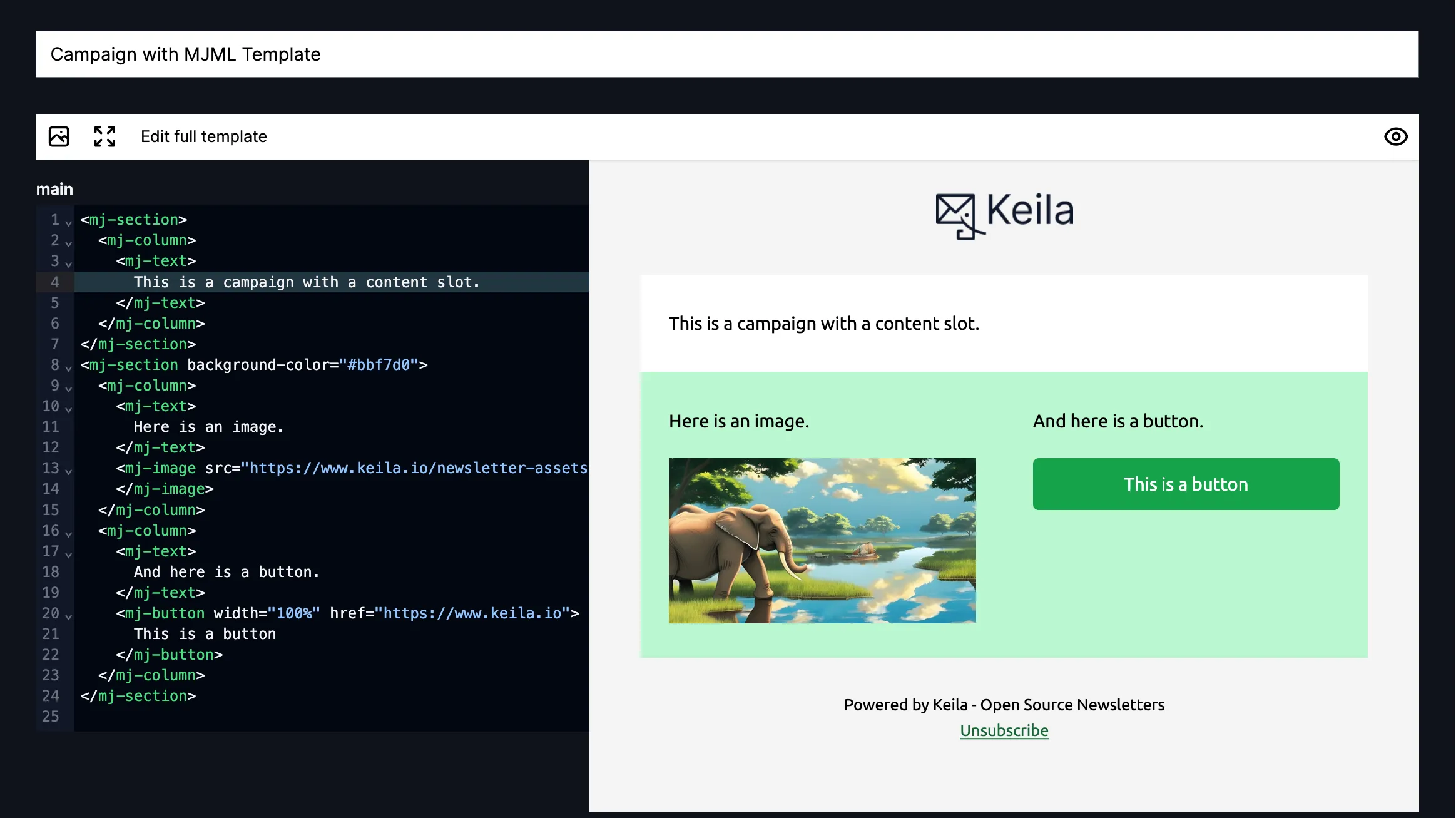
In addition to the existing configurable base template (now called “Classic template”), you can now create custom templates with MJML, HTML, or plain text.
As part of the new template system, we have also introduced a new concept: Content slots allow you to separate parts of the template that may change with every message from the parts that stay the same.
How Content Slots Work
A content slot marks an editable region inside a template. You wrap that region in a <keila-content> tag and give it a name:
<keila-content name="main">
  <p>This is the part you can edit.</p>
</keila-content>
When you create a new campaign or transactional message based on a template with slots, the editor lets you only edit the slot content, allowing you to maintain consistent header/footer design across emails.
In MJML templates, content slots can exist only as direct children of <mj-body>. In HTML templates, they
can be used at any level (except as the root element). In plain-text templates, slots can exist in any position.
Default Content
You can define default content for a slot when you create your template by adding it inside the <keila-content> tags. If a campaign or a message leaves a slot empty, the default content is used instead.
Filling Slots
In the campaign editor, you can edit each slot individually when you choose a template that has one or more slots.
With the API, you can provide mjml_content, html_content, or text_content (depending on the template/campaign type):
{
  "data": {
    "type": "mjml",
    "sender_id": "ms_12345",
    "template_id": "tpl_12345",
    "recipient_email": "jane@example.com",
    "subject": "Hello",
    "mjml_content": {
      "main": "<mj-section><mj-column><mj-text>Hi {{ contact.first_name }}!</mj-text></mj-column></mj-section>"
    }
  }
}
Liquid Support Everywhere
Liquid works inside slots, just as it does in the rest of the template.